EZArrival: K12 Transportation
- 4.8
- Rating
- 10.00K
- Installs
- Free
- Price

 Analysis by App-foxy
Managing school transportation sounds simple until a child is waiting at the curb, a pickup detail has changed, or a parent is trying to work out whether a problem comes from the phone, the school, or the transportation system. EZArrival: K12 Transportation is an education app from Pathwise built around that everyday responsibility. I found its appeal less in flashy extras and more in the promise of putting school-transportation information in one place, where families can check it without relying on scattered messages.
The app is free and rated for Everyone, which makes it approachable for households with different levels of technical confidence. It has reached over ten thousand installs and holds a 4.8 average from more than two hundred ratings, a reassuring early signal without treating popularity as proof that every family will have the same experience. It was released on March 17, 2026, and the current version is 1.1.1, so I would approach it as a relatively new tool that may still be settling into the routines of schools and parents.
Getting past the points where families usually get stuck
The first important distinction is that EZArrival is not a general school communication hub. Its focus is K-12 school transportation, so its usefulness depends heavily on whether a child’s school or transportation arrangement is connected to the service. A parent can install the app and still have an unhelpful first experience if the school has not enabled access, if the wrong account details are used, or if the child is not associated with the expected transportation record.
You May Also Like

 AccuWeather: Weather Radar
AccuWeather Review: A Quick, Clear Forecast for Everyday Decisions
For everyday plans, the best forecast is the one you can understand quickly. AccuWeather makes rain timing, radar, and local conditions easy to act on, with a few trade-offs.

 Hill Climb Racing
Why Hill Climb Racing Still Turns Crashes Into One More Run
A tiny car, a bumpy hill and one more upgrade: Hill Climb Racing keeps resurfacing because its simple chaos makes every near-miss feel personal.

 AliExpress - Shopping App
AliExpress Makes Global Shopping Feel Personal, but Shoppers Bear the Risk
AliExpress turns a global marketplace into a pocket-sized discovery engine. Its reach is useful, its shopping loop compelling, and its trade-offs easy to miss.

 Lords Mobile: Kingdom Wars
Lords Mobile Is a Kingdom-Building Routine, Not a Quick Match
A case-by-case verdict on the building, battles, device demands, and social commitments that make Lords Mobile rewarding for some players and exhausting for others.

 PDF Scanner app - TapScanner
TapScanner Makes Paperwork Easier to Capture, Check, and Share
TapScanner makes scanning with a phone feel less like a rescue operation and more like a dependable step in getting work done. Its capture tools are useful, though not flawless.

 Block Blast!
 Shows How Much a Puzzle Game Can Leave Out
A quiet grid game shows why puzzle players increasingly value instant clarity, repeatable skill and low-pressure play—and where the genre still needs to catch up.
More From Our News Desk
View All News


That is why I would not judge the app solely by the first screen after installation. Transportation tools depend on an underlying school-side setup. If the app appears empty, shows incomplete information, or does not recognize a child, repeatedly reinstalling it is unlikely to solve the real issue. The sensible first move is to check that the family is using the exact sign-in or invitation details supplied by the school and that the child’s enrollment information is current.
Another common source of confusion is expecting a transportation app to behave like a live conversation with a driver or school office. EZArrival can help organize access to transportation information, but it should not replace the school’s official channel for urgent changes, absences, or safety concerns. I would keep the school’s contact method available, especially during the first week of use, while learning how the app fits into the school’s established routine.
For families with more than one child, careful attention during setup matters. A transportation record can be correct for one child and still appear incomplete for another. Rather than assuming that one successful child profile confirms everything, I would check each child separately and make sure the displayed information matches the usual arrangement. This is a small habit, but it prevents a parent from treating partial setup as complete setup.
What to check before blaming the app
My preferred setup approach is deliberately boring: install the free app, use the school-provided access information, and compare what appears with the transportation details the family already knows. If the information matches, the app is ready to become the quick reference point. If it does not, recording the exact mismatch is more useful than simply reporting that “it does not work.” A missing child, an outdated route detail, and a sign-in failure are different problems and should be described differently.
It is also worth checking the basics on the device. The listed minimum operating system is Android 7.0, so older phones should be checked before installation is treated as a transportation problem. On a compatible phone, I would confirm that the app is updated to version 1.1.1, then close and reopen it after a failed attempt. These are ordinary checks, but they separate a temporary app state from an account or school-record issue.
When information seems stale, I would avoid making decisions based on a single glance. Open the app again after confirming that the phone has a working connection, and compare the result with the school’s latest message. If the two sources disagree, the school’s current communication should guide the immediate decision while the discrepancy is reported. A transportation app is valuable only when families know which source takes priority during an unresolved mismatch.
One practical tip is to complete setup before the first morning it is needed. Testing the app at a calm time gives parents room to notice whether access works, whether the correct child appears, and whether the displayed transportation information makes sense. Trying to solve all three questions while a child is waiting outside turns a manageable setup issue into unnecessary stress.
I would also avoid sharing a parent’s login casually across several devices without a reason. Shared access can be convenient, but it can make it harder to tell whether a problem belongs to the account, one phone, or a temporary connection. If multiple caregivers need access, each should follow the school’s intended process rather than improvising a workaround that could make later troubleshooting harder.
A calmer workflow for ordinary school mornings
In daily use, the strongest role for EZArrival is as a quick checkpoint before a child leaves home. A parent can review the transportation information, compare it with the family’s plan, and then move on. The benefit is not that the app eliminates every uncertainty; it is that it can reduce the need to search through old messages or remember which detail was sent on which day.
Imagine a weekday morning when one parent is taking a child to school and another is handling pickup. Instead of forwarding an old message and hoping it still applies, the second parent can check the transportation information in the same place used by the household. If something looks different, the family can pause and verify it before the child leaves. That shared reference point is more useful than a long conversation built around screenshots and memory.
For a child who sometimes rides and sometimes does not, I would treat the app as part of a wider routine rather than the entire routine. The parent should still tell the child what to expect and contact the school when a change requires official notice. The app can support the family’s awareness, but a transportation record and a same-day attendance decision are not automatically the same thing.
Another useful habit is to check details at the moment they matter, not only once at the beginning of a term. School transportation can be affected by schedule changes, family arrangements, and administrative updates. I would use the app as a current reference before important transitions, while remembering that the school remains the authority for exceptions and urgent instructions.
This is where the app differs from the usual alternatives. A messaging app leaves parents searching through conversations. A paper note is easy to lose and can become outdated. A calendar can remind a family that pickup is planned, but it cannot serve as the school-connected transportation reference. EZArrival makes more sense when the problem is scattered transportation information rather than a need for broad school communication.
On the other hand, a general family calendar may still be better for coordinating grandparents, babysitters, extracurricular activities, and changes that are not part of school transportation. I would not replace that broader planning tool with EZArrival. The two serve different purposes: one organizes household commitments, while this app is intended to help families manage the school-transportation side of the day.
Recovering when the normal workflow breaks
The most helpful troubleshooting principle is to identify the stage of failure. If the app cannot be installed, check device compatibility and the operating-system requirement. If it installs but access fails, recheck the school-issued account information. If access works but a child or transportation detail is missing, the issue may be connected to the school-side record rather than the phone. If the information appears but conflicts with a current instruction, contact the school before relying on either version.
After correcting an obvious mistake, I would close the app completely and reopen it rather than making repeated changes in quick succession. If the problem remains, note what was visible, what action caused the issue, and whether another official school message shows different information. That short record gives school staff something concrete to investigate and avoids the vague back-and-forth that often delays resolution.
Reinstalling can be a reasonable last resort for a damaged local installation, but it should not be the first response to missing transportation data. A fresh installation does not repair an incorrect child record or an account that has not been activated. It may also create extra inconvenience if the parent has to repeat the access process without knowing the original cause.
I would also be cautious about treating a temporary blank screen as proof that transportation has been canceled. A connection problem, an interrupted update, or a service-side delay can look similar from the user’s perspective. Until the situation is clear, use the school’s established communication channel for time-sensitive confirmation. This is especially important when a child’s pickup or drop-off plan is changing that day.
Families should decide in advance what they will do if the app is unavailable. That backup might be the school office, a transportation contact, or a previously agreed family plan. The point is not to distrust EZArrival; it is to avoid making any single digital tool the only safety net for a child’s journey. Good transportation routines include both a convenient reference and a clear fallback.
When the problem is outside the app
Some frustrations will not be solved by changing settings. A school may have entered an outdated address, a child may have changed transportation arrangements, or a route may have been adjusted administratively. In those situations, the app can accurately reflect information that the family no longer expects. The right response is to report the underlying record issue, not to keep testing the phone.
The same applies when a parent sees a difference between EZArrival and a newer school announcement. Digital records can lag behind a last-minute decision, or a message can refer to a one-day exception that is not reflected in the regular transportation record. I would follow the most recent direct instruction for that specific day and ask the school to clarify which information should become the standing arrangement.
There is also a human factor. If one caregiver checks the app while another relies on a message from the school, both may believe they are working from current information. A simple household rule helps: one person checks the transportation record, communicates the plan to everyone involved, and flags any mismatch before departure. This reduces the risk of two adults making different assumptions from two different sources.
EZArrival may not be the right choice for a family whose school does not use it, whose transportation is arranged privately, or whose main need is broader school communication. It is also not a substitute for direct help when a child is missing from the system or when an urgent safety issue needs immediate attention. In those cases, a phone call or the school’s official emergency process is better.
Parents who want extensive planning features, shared family task management, or a complete academic dashboard may find a general-purpose app more suitable for those jobs. EZArrival’s value comes from focus. That focus is a strength when transportation information is the daily pain point, but it also means the app should not be judged as though it were designed to manage every part of family life.
My practical verdict for families
After looking at how it fits into real routines, I see EZArrival: K12 Transportation as a focused education app with a sensible purpose: making school transportation easier for families to check and manage. Its free price removes a major barrier, and the Everyone age rating makes it suitable for a broad household audience. Pathwise has also kept the product’s identity clear instead of turning it into an unrelated collection of school tools.
The strongest reason to try it is simple: if your child’s school supports it, the app can give your household a consistent place to review transportation information instead of depending on paper notes, old messages, or memory. The most important condition is equally simple: successful use depends on correct school-side setup. Parents should test access early, verify every child, and keep an official fallback for changes that need immediate confirmation.
I would recommend it to families who regularly coordinate school rides, especially households where more than one adult shares morning or afternoon responsibilities. I would be more cautious for families expecting live personal support, broad school administration features, or a complete replacement for direct contact with the school. Those expectations go beyond what a focused transportation app should be asked to do.
The early response is encouraging, with a 4.8 average across over two hundred ratings and more than ten thousand installs, but those figures should be read as a reason to explore the app, not as a guarantee of a perfect experience in every school district. My final view is that EZArrival is most useful when treated as a dependable transportation checkpoint, not as the only source of truth. Set it up before a rushed morning, verify what it shows, and use the school’s official channel whenever the information affects an immediate decision.
FAQs for EZArrival: K12 Transportation
01What is EZArrival: K12 Transportation used for?
EZArrival: K12 Transportation is designed to help families manage school transportation information in one place. Depending on the school district’s setup, parents and guardians may be able to view bus routes, receive arrival or departure updates, check transportation notices, and follow changes that affect their child’s daily trip. Available tools can vary by district and school configuration.
02How do I sign in to EZArrival: K12 Transportation?
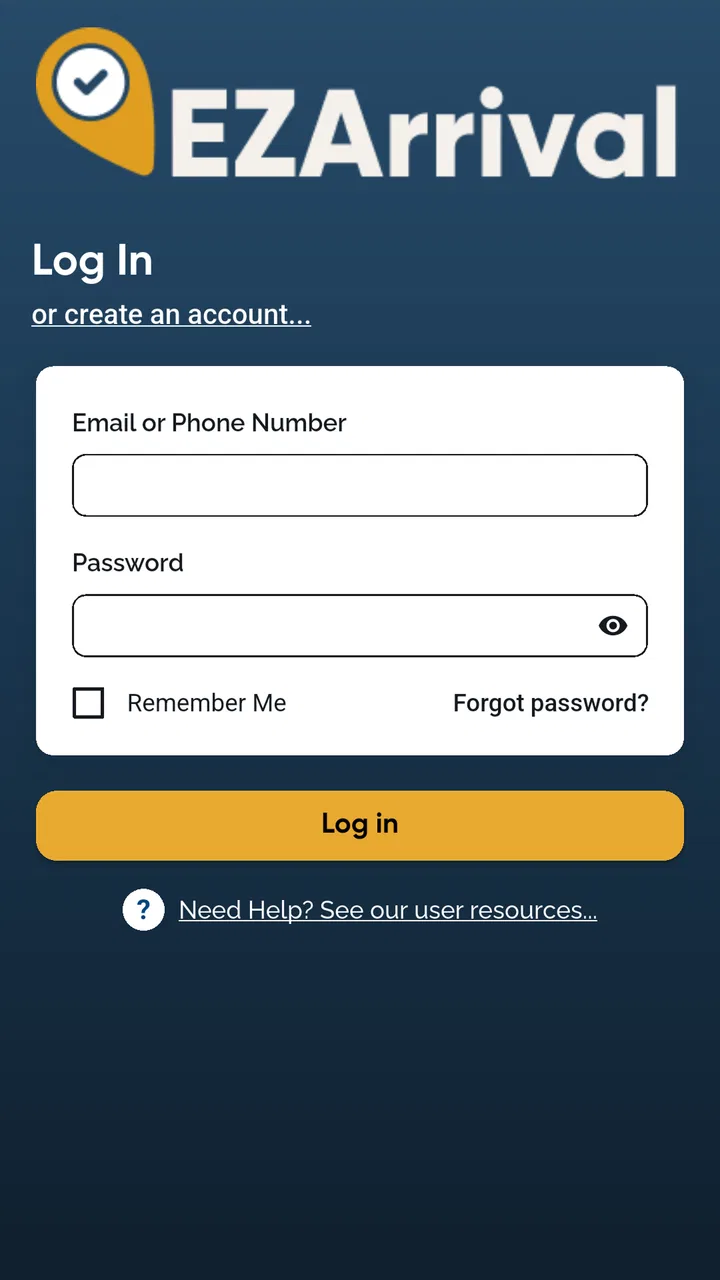
Access usually depends on your school district or transportation provider. After installing the app, you may need to use credentials supplied by the school, a district portal, or an invitation connected to your child’s student record. If your login does not work, verify that you are using the correct email or username and contact the school transportation office rather than creating multiple accounts.
03Can EZArrival show my child’s real-time bus location or arrival time?
The app may provide estimated arrival information, route progress, or transportation notifications when those services are enabled by the school district. However, real-time tracking is not guaranteed for every user, route, or vehicle. Updates can be affected by GPS availability, traffic, weather, driver reporting, and district settings, so the information should be treated as helpful guidance rather than an exact guarantee.
04Will I receive notifications about delays, cancellations, or schedule changes?
EZArrival may send alerts related to bus delays, route changes, cancellations, stop information, or other transportation events supported by your district. To receive them reliably, allow notifications on your phone and check that your child and route details are correctly linked to your account. Notification coverage depends on the school’s communication practices and the features activated for your area.
05Is EZArrival: K12 Transportation available for every school or district?
No. EZArrival is generally intended for participating schools, districts, and transportation providers, so installing the app alone may not provide access. If your school does not use the platform, you may be unable to register, view routes, or receive transportation updates. Before downloading, confirm with your school or district that EZArrival is supported and ask which features are available.
Pros
- Real-time bus tracking helps families monitor arrival progress.
- Push notifications can alert guardians about delays or route changes.
- Supports safer student pickup with transportation status updates.
- Useful for checking assigned stops and scheduled pickup details.
- Simple interface makes essential trip information easy to find.
Cons
- Availability and features may depend on the school district’s setup.
- Requires location and notification permissions for the best experience.
- Tracking accuracy can vary with GPS coverage and cellular service.
- Families may need district-issued login credentials to access the app.
- Limited usefulness outside participating schools and transportation systems.

EZArrival: K12 Transportation
Gallery